Private AI for Windows that works offline
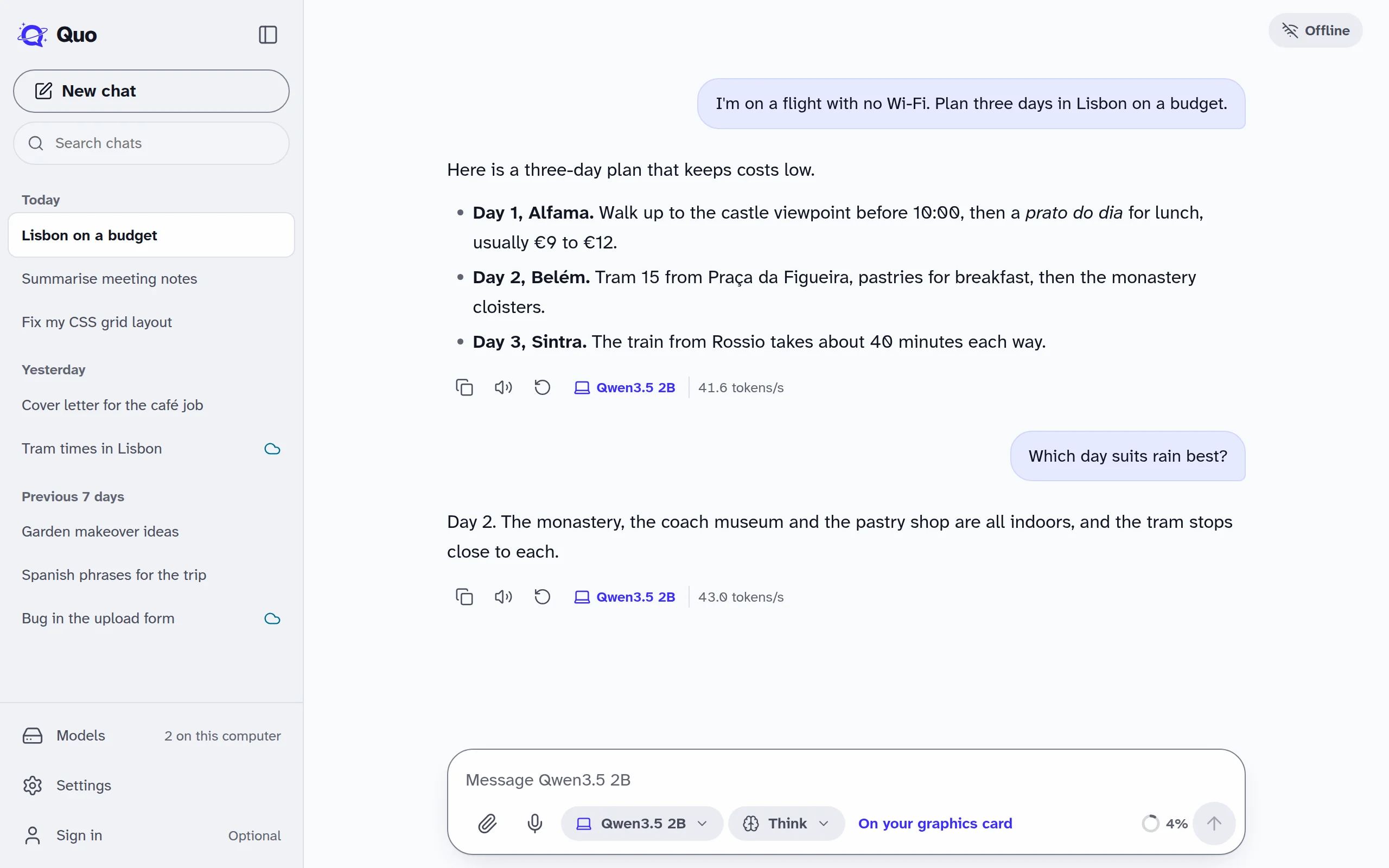
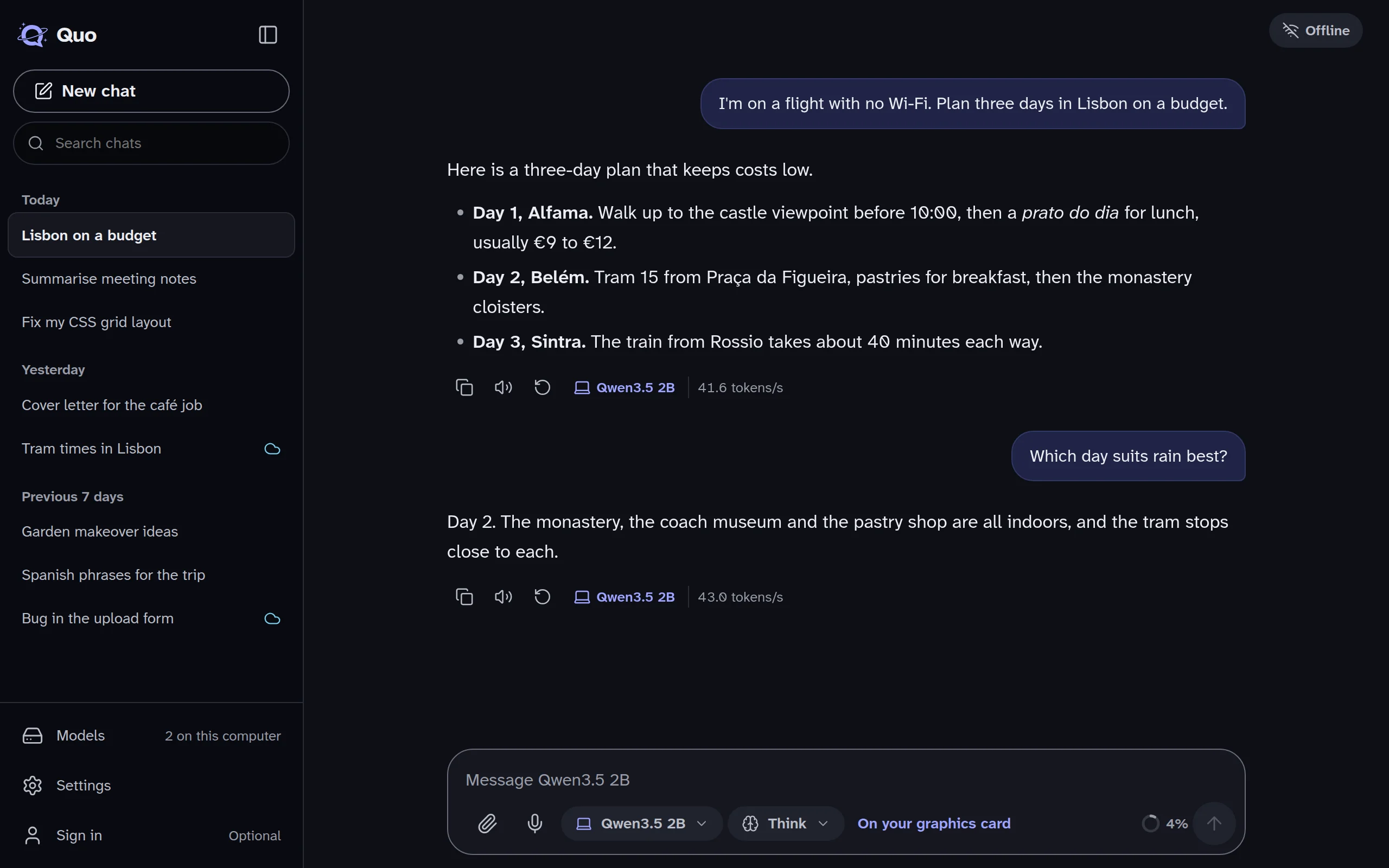
Quo is a free, open-source AI assistant that runs on your own PC. It runs open models such as Qwen, Gemma and Llama on your graphics card. After a model downloads, it works with no internet, and what you type stays on your computer.
- Windows 10 and 11
- 64-bit (x64)
- No admin rights needed
- Updates itself
Install it
- Download Quo-windows-x64-setup.exe and open it.
- If Windows shows “Windows protected your PC”, choose More info › Run anyway.
- Quo installs for you only, with no admin prompt, and opens. Find it in the Start menu any time.
- Quo suggests a model that fits your PC. Download it once; after that it works offline.
Or install it in one line in PowerShell. It checks the download against the release’s checksum and needs no admin rights.
irm https://quo.computer/install.ps1 | iexWhat it does
- Works offline. Models run on your computer. After a model downloads, Quo needs no internet, and your chats, documents and photos stay on the computer.
- Runs on your graphics card. Quo uses llama.cpp with Vulkan, so most NVIDIA, AMD and Intel graphics work with their usual drivers. On an NVIDIA card you can add llama.cpp’s CUDA engine in Models & storage. Without a graphics card, models run on the processor.
- Reads documents and photos, and listens. Ask about a PDF or a photo, or talk instead of typing. Your voice is turned into text on the computer.
- Any GGUF model from Hugging Face. Search Hugging Face in Models & storage, or use models you already downloaded with LM Studio or Ollama.
- Code mode. A model works in a project folder: it reads the code, makes changes, runs tests, commits and pushes. You approve every step.
- Makes pictures on your computer with an image model you download.
- Cloud models only when you choose them: Quo’s own, your own API key, or Claude Agent with your own Claude Code sign-in. Each is clearly marked.
Models that run on it
In the desktop app, Quo checks your device and suggests a model that runs well. Bigger models give better answers but need more memory. Each model has its own page with what it needs and its licence.
| Model | Good at | Download | Memory it needs |
|---|---|---|---|
| Qwen3.5 4B | Strong all-rounder with careful reasoning. Reads images. Best on a computer with a graphics card. | 3.5 GB | 8 GB |
| Qwen3.5 9B | A big step up in quality and reasoning. Reads images. Wants a graphics card with 8 GB or more, or 16 GB of memory. | 6.8 GB | 12 GB |
| Qwen3.8 27B | The most capable model here. Reads images. For computers with 32 GB or more of memory, or a high-end graphics card. | 17.4 GB | 32 GB |
| Gemma 4 E2B | Google’s small multilingual model. Reads images and speaks 140+ languages. | 3.6 GB | 8 GB |
| Gemma 4 12B | Google’s mid-size model: clear writing in 140+ languages. Reads images. Wants a graphics card with 8 GB or more, or 16 GB of memory. | 6.9 GB | 12 GB |
| Gemma 4 26B A4B | Google’s larger model, quick for its size: it uses only part of itself for each word. Reads images. For computers with 24 GB or more of memory. | 15.4 GB | 24 GB |
| Llama 3.2 3B | Dependable all-rounder for writing and summarising. | 2 GB | 8 GB |
| Phi-4 Mini | Microsoft’s compact reasoning model. Strong at maths, logic and structured answers. | 2.5 GB | 8 GB |
See every model and what it needs.
Questions
Is Quo safe to install on Windows?
Quo is open source, and every installer is built from the code on GitHub by an automated release process. The installer isn’t signed with a certificate yet, so Windows says the publisher is unknown: choose More info › Run anyway. The one-line install checks the download against the release’s checksum before it runs it.
Does Quo work without the internet?
Yes. Quo needs the internet to download the app and a model. After that, chats run on your computer with Wi-Fi off. Quo checks for updates when it starts; you can turn that off in the Help menu.
What PC do I need?
Windows 10 or 11 on a 64-bit (x64) PC. Quo checks your memory and graphics card and suggests a model that fits; the smallest need about 8 GB of memory. Windows on Arm runs the x64 app through emulation.
Is it free?
Yes. The app and every offline model are free, with no account and no limits. Cloud models are optional: see pricing.