Code mode: a coding agent you approve step by step
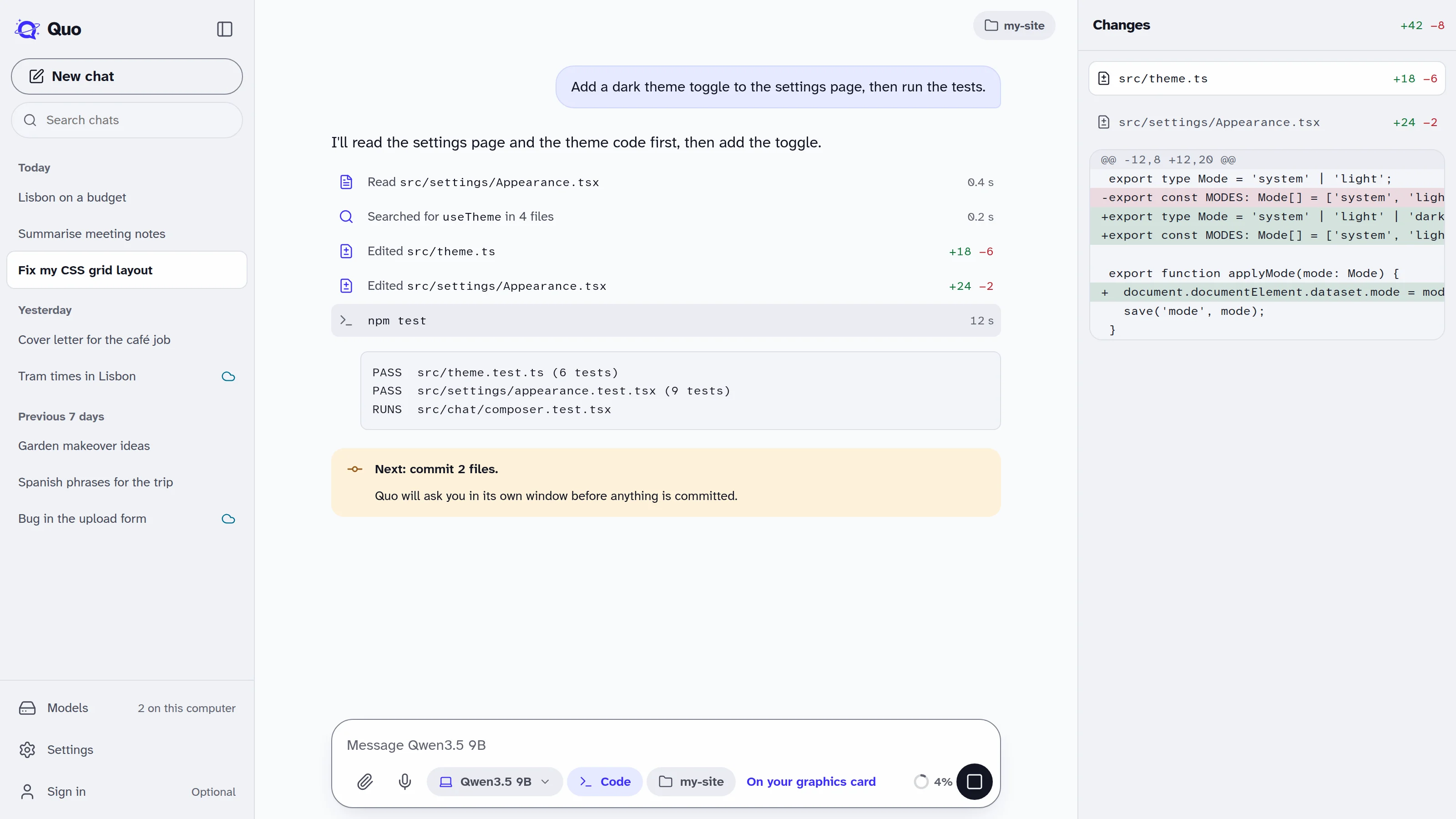
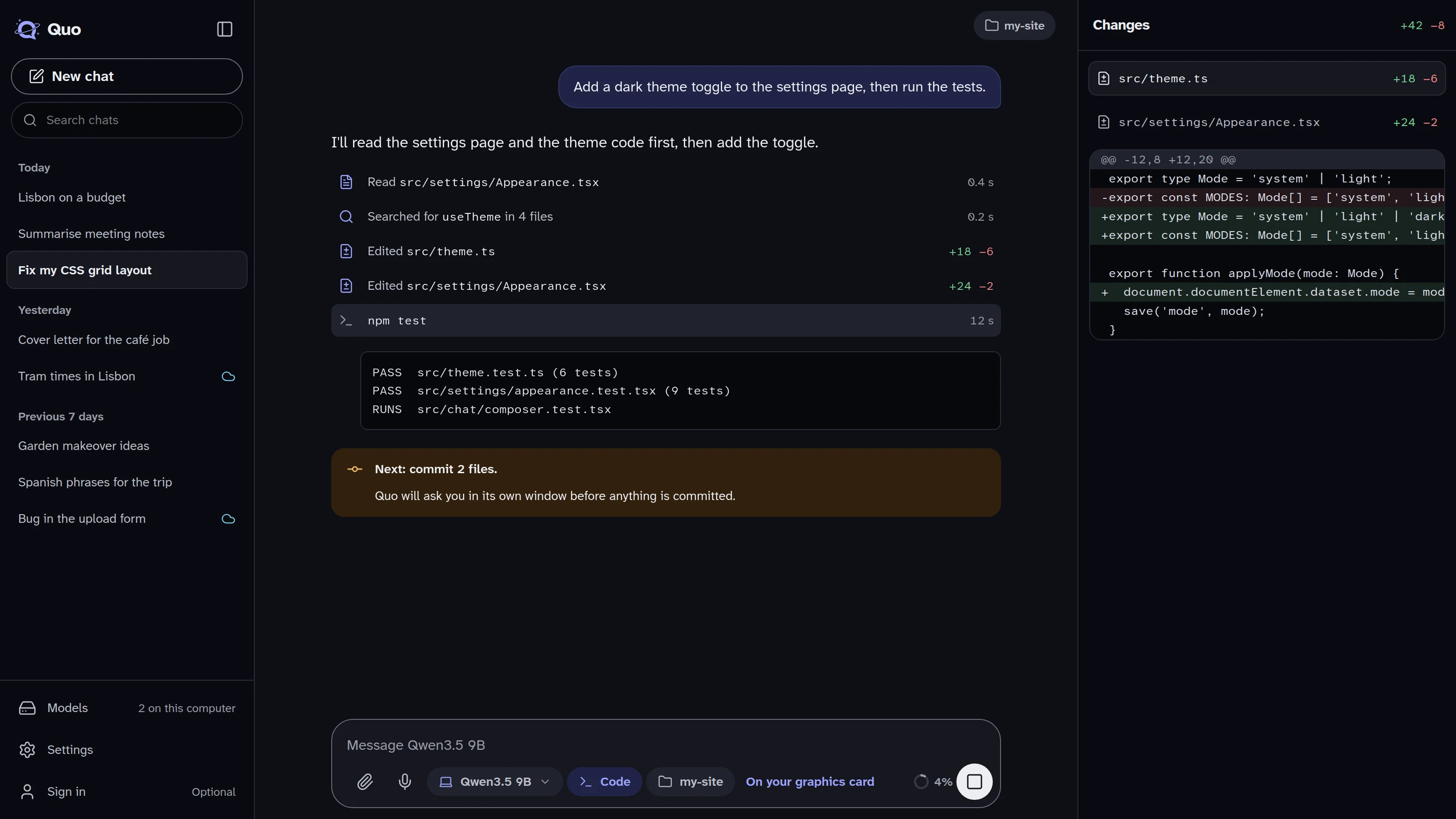
In the Quo desktop app, a model can work in a project folder: it reads the code, makes changes, runs tests, commits and pushes. You approve every step. It works with an offline model on your computer, a cloud model, your own API key, or Claude Agent.
- Desktop app: Mac, Windows, Linux
- Offline or cloud models
- Open source
How it works
- Ask for something that needs your files, or for something to be built. The model opens a project: a folder you choose in a dialog, or a new folder in
Documents/Quo Projects. - It reads the code, then proposes changes and commands.
- You approve each one in Quo’s approval window, which shows the exact change or command.
- It runs the tests and fixes what fails. It commits and pushes when you approve.
What it can do
- Read, search and change files in the project, and undo a change.
- Run commands and tests, and leave a dev server running while it works.
- Read public GitHub repositories for reference, and search the web.
- Commit the files it changed and push the branch. For GitHub, it gives a link to open a pull request.
- Follow your project’s
AGENTS.mdorCLAUDE.md.
You stay in control
- Three levels. Every session starts at Ask first: every edit, command, commit and push is asked about. Ask if risky runs edits and ordinary commands, and still asks before commands that delete, install, download or reach outside the project. Don’t ask runs everything and still asks before every push.
- Approvals are in a window of their own, made by the app. Nothing the model writes can press its buttons, and closing it means no.
- The model stays in the project. Every path it gives must lead inside the folder. Secrets files such as
.envand keys are never read, and well-known token formats are removed from what it sees. - Commits are made by Quo from the files the model lists. Quo never forces a push.
- Plan mode lets the model only read, to plan before it changes anything.
Which models
- Offline, on your computer: nothing leaves it. Models of 9B and up work best; Quo rates Qwen3.5 9B and Qwen3.8 27B Good for Code mode.
- Quo’s cloud models that can use tools, including a free one with a small daily allowance. See pricing.
- Your own API key, or Claude Agent with your own Claude Code sign-in.
Questions
Does Code mode work offline?
Yes, with a model on your computer. Nothing leaves it. Small models have small windows, so Quo keeps their sessions compact; models of 9B and up work best.
Can it change things without asking?
Not at the level every session starts at: each edit, command, commit and push is asked about. A command you approve can do whatever that command does, so read it before you say yes.
What does it cost?
Nothing with an offline model. Quo’s cloud models use credits for each step, and the free one has a small daily allowance. With your own API key or Claude Agent, your provider bills you.
Does it read my AGENTS.md or CLAUDE.md?
Yes. A project’s AGENTS.md or CLAUDE.md goes to the model as notes, cleaned of secrets. They can’t override Quo’s rules.