Private AI in your browser
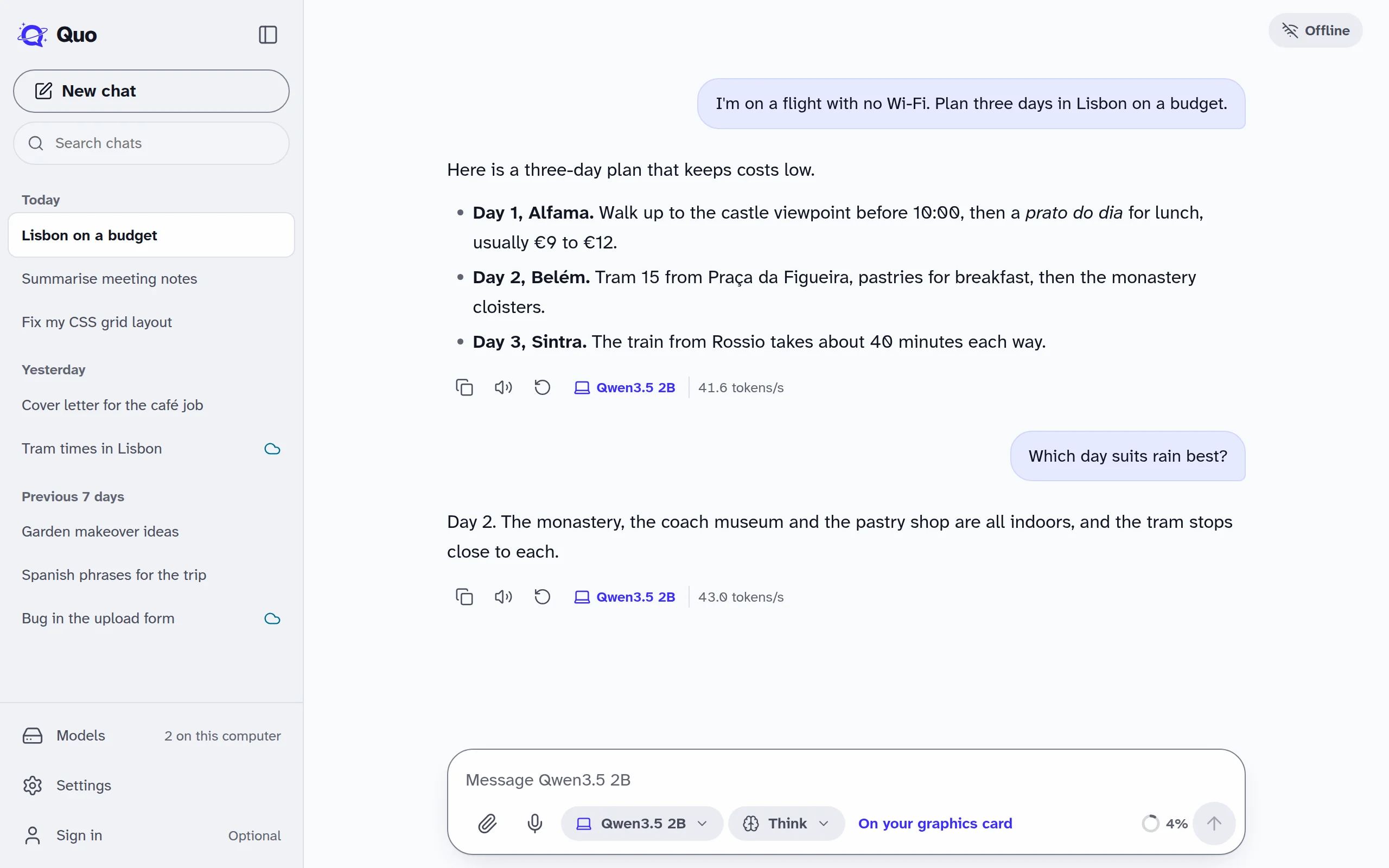
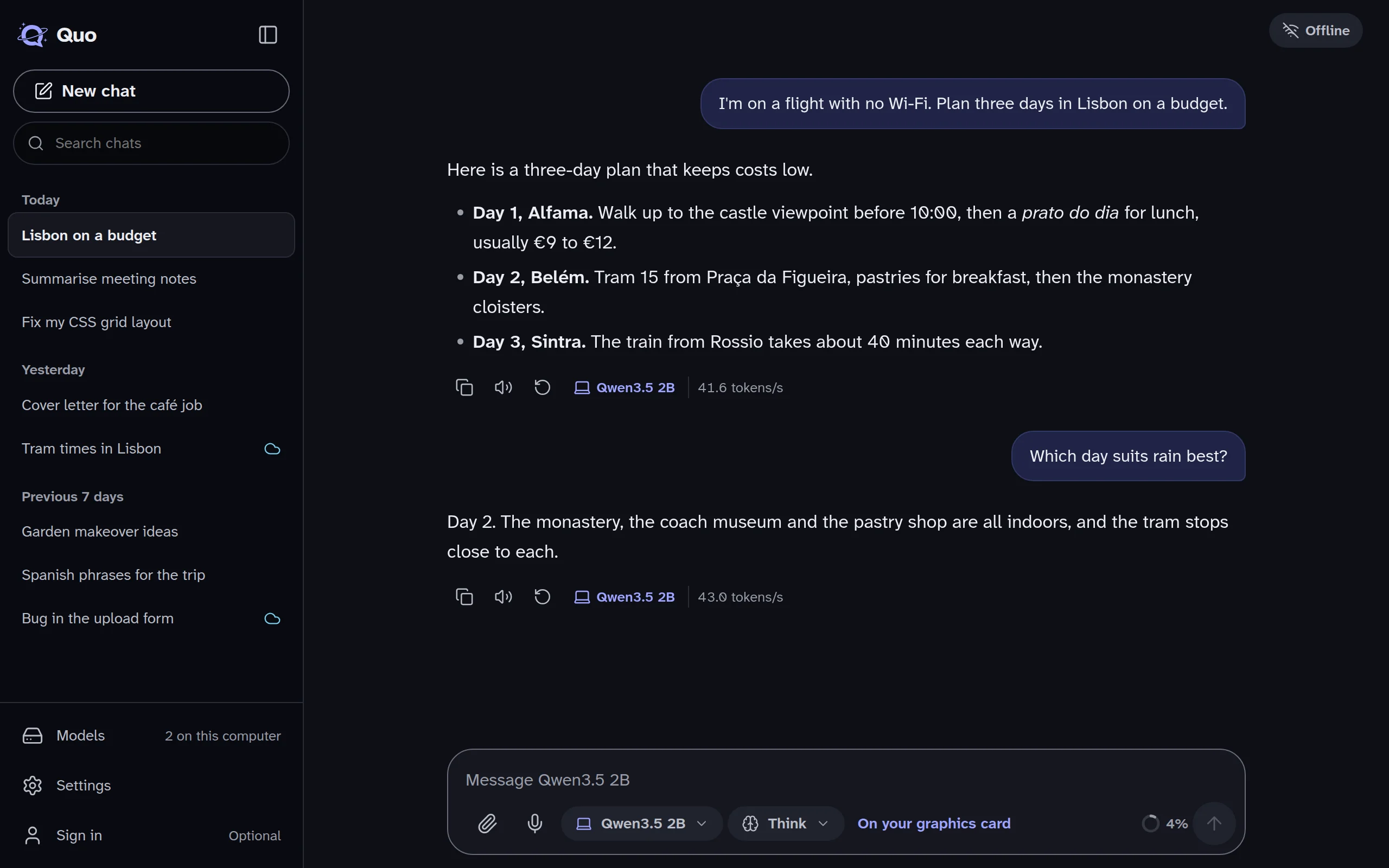
Quo Web runs open AI models inside your browser, on your own computer. There’s nothing to install and no account. You download a model once; after that it works with no internet, and what you type stays on your computer.
- Chrome or Edge on a computer
- Nothing to install
- No account
Install it
- Open Quo Web in Chrome or Edge on a computer.
- Quo suggests a model that fits your computer. Download it once; it stays in the browser for next time.
- Chat. It works with Wi-Fi off.
Each model in the table below has a “Try it” link that opens Quo Web with that model chosen.
What it does
- Runs on your graphics card. In Chrome and Edge, Quo runs models on the graphics card with WebGPU. Firefox and Safari run them on the processor, which is slower.
- Works offline. After a model downloads, Quo Web needs no internet, and your chats stay in the browser.
- Reads your documents, and listens. Ask about a PDF or a text file, or talk instead of typing. Your voice is turned into text in the browser.
- Installs as an app. Chrome and Edge can add Quo Web to your computer like an app, and it opens with no internet.
- Cloud models only when you choose them: Quo’s own, or your own API key. Each is clearly marked.
Models that run on it
In Quo Web, Quo checks your device and suggests a model that runs well. Bigger models give better answers but need more memory. Each model has its own page with what it needs and its licence.
| Model | Good at | Download | Memory it needs | In Quo Web |
|---|---|---|---|---|
| Qwen3.5 0.8B | Fast and light. A quick first download that runs on almost any computer. | 0.5 GB | 4 GB | Try it |
| Qwen3.5 2B | Balanced. Noticeably smarter, still quick on most laptops. | 1.3 GB | 8 GB | Try it |
| Llama 3.2 3B | Dependable all-rounder for writing and summarising. | 2 GB | 8 GB | Try it |
| Gemma 4 E2B | Google’s small model, at home in 140+ languages. Best with a graphics card. | 2.6 GB | 8 GB | Try it |
| SmolLM3 3B | Hugging Face’s compact model. Writes well in six European languages, and can think first. | 1.9 GB | 8 GB | Try it |
| Ministral 3B | Mistral’s small model. Precise, short answers in many languages. | 2.1 GB | 8 GB | Try it |
| Phi-4 Mini | Microsoft’s compact reasoning model. Strong at maths, logic and structured answers. | 2.5 GB | 8 GB | Try it |
See every model and what it needs.
Questions
Does anything I type leave my computer?
Not with offline models. The model runs inside your browser, and your chats are saved there. To check, open the browser’s developer tools (F12), go to Network and ask something: your message doesn’t appear. Cloud models are optional and clearly marked.
Which browser works best?
Chrome or Edge on a computer: they let Quo use your graphics card, which is much faster. Firefox and Safari run models on the processor. For the biggest models and the most speed, use the desktop app.
Where are my chats and models kept?
In your browser’s storage on this computer. Downloaded models stay there for next time, and clearing the site’s data in your browser removes them.
Can I use Quo Web on my phone?
Phone browsers don’t have the memory for these models. On Android, use the Quo app.